Understanding how visitors interact with your site isn’t just about tracking clicks and page views—it’s about gaining insights into user behavior to drive conversions.
Tracking and understanding user behavior helps you identify what’s working, fix what isn’t, apply actionable improvements, and optimize your site for higher conversions.
Here’s what you’ll learn:
- How to analyze user behavior to gain insights and influence sales.
- Key tools that go beyond traditional analytics.
- How to use behavior tracking to improve checkout rates, engagement, and AOV.
TL;DR: Track User Behavior
- User behavior tracking boosts conversions by identifying friction points and optimizing high-performing elements.
- Heatmaps, session recordings, and rage click tracking help uncover usability issues and engagement patterns.
- Slow load times and broken elements kill conversions—monitor site performance to prevent drop-offs.
- AI-powered analytics provide actionable CRO recommendations, improving checkout rates and AOV.
- Top tools include heatmapAI, Google Analytics, Hotjar, Lucky Orange, Microsoft Clarity, and Kissmetrics, each with unique strengths.
- Choose heatmapAI for revenue-focused insights; opt for Google Analytics or Microsoft Clarity for standard tracking solutions.
What Does User Behavior Analytics Tell You
User behavior analytics helps businesses understand how real users interact with their websites. It offers valuable insights into user actions, highlighting which elements attract attention, where users click, and what causes them to drop off.
By leveraging user behavior analytics tools, businesses can analyze and predict user behavior at a deeper level—identifying friction points, optimizing landing pages, and making data-driven decisions to boost conversion rates.
Navigational Patterns: How users interact with your site
A smooth user experience ensures users can navigate a website effortlessly, guiding them toward conversion. When users leave without completing an action, it often signals usability issues.
User behavior analysis involves identifying whether design elements like menus, buttons, and CTAs encourage action or cause confusion. If users frequently exit specific pages, this may indicate poor user interface design or irrelevant content.
Revenue-Generating vs. Non-Performing Elements
Not all website elements contribute to sales. Some increase user engagement, while others may cause frustration, leading to a poor customer experience.
By tracking user behavior, businesses can pinpoint which elements foster positive interactions and which may hinder conversions, helping to optimize the site for better results.
🔥 How heatmapAI Helps
- Revenue-based heatmaps track how users interact with each site element, revealing which features motivate users to complete a purchase.
Where Users Drop Off and Lose Interest
When users interact with your website but fail to convert, there’s usually a reason. Entity behavior analytics helps identify pain points by showing where users tend to rage click, hesitate, or abandon their session.
Rage clicks—where a single user repeatedly taps a non-functioning element—often signal frustration.
🔥 How heatmapAI Helps
- heatmapAI’s session recordings highlight these moments, allowing businesses to improve the user interface and customer experience by fixing broken links, improving CTAs, or adjusting design elements.
What Technical Issues Are Hurting Conversions?
Site performance significantly impacts user satisfaction and overall website success. A slow, buggy, or confusing site can negatively affect user behavior, resulting in high bounce rates and low conversion rates.
While tools like Google Analytics provide insights into broad traffic trends, analyzing user behavior offers a deeper understanding—revealing how users experience the site in real-time and pinpointing areas for improvement.
🔥 How heatmapAI Helps
- JavaScript error tracking identifies technical issues that can disrupt the user experience and prevent conversions.
- Site speed tracking monitors performance, identifying slow load times and offering recommendations to enhance the user experience.
User Behavior Analytics Tools to Visualize and Understand Real User Interactions
The right user behavior analytics tools offer valuable insights into how users navigate your site, what keeps them engaged, and where friction points lead to drop-offs.
Here’s how various analytics tools help analyze user behavior and optimize your site for sales.
Heatmaps
Heatmaps show how users interact with your site by visualizing actions like clicks, scrolls, and movement patterns. While some heatmap tools only track basic interactions like clicks, heatmapAI’s revenue-based heatmaps go a step further by connecting each interaction to potential revenue.
Why it matters:
- Identify high-performing vs. ignored elements to see which CTAs, images, or sections influence user behavior the most.
- Improve the user experience by removing distractions or optimizing design elements that impact conversions.
Scrollmaps
Scrollmaps provide a deeper look into how users engage with your content. They reveal where users leave a page and whether important information gets seen. If critical CTAs or pricing details are below the fold, you might be losing sales.
How to use scrollmaps for optimization:
- Adjust landing pages so key information appears before drop-off points.
- Test new design elements to motivate users and keep them scrolling.
- Compare behavior across different user personas—see how new vs. returning users interact.
Screen Recordings
Want a better understanding of why users behave the way they do? Screen recordings offer deeper insights into user journeys by showing real users in action. These recordings uncover specific behaviors, such as hesitation at checkout or repeated backtracking.
Use case:
- Identify pain points that disrupt user satisfaction (e.g., confusing checkout steps).
- Optimize the user interface based on data-driven decisions, not assumptions.
- Spot trends in user engagement across different target audiences.
Rage Clicks
Rage clicks signal frustration—when users click repeatedly on an element that isn’t working as expected. This often leads to abandoned sessions.
How tracking rage clicks improves conversions:
- Fix broken buttons or confusing CTAs that cause drop-offs.
- Identify design elements that impact user behavior negatively.
- Use entity behavior analytics to group similar issues and prioritize fixes.
Metrics
Beyond visual tools like screen recordings, behavioral analytics also offers key metrics such as session duration, page engagement, and revenue per session. These numbers provide a clear understanding of how well a site meets user needs.
Key metrics to track:
- Scroll depth—how far users navigate before they leave.
- Conversion rates—how many visitors take the desired action.
- Session recordings & analytics data—to compare behavior between high-value and low-value users.
Using a data-driven approach, businesses can understand and influence user behavior, refine design processes, gather feedback, and optimize their sites.
6 Behavior Tracking Tools for Boosting Sales
Tracking user behavior is essential for optimizing your site and increasing conversions. The right analytics tools provide valuable insights into user actions, the factors that drive decisions, and the areas where users disengage. Here are six popular tools that help businesses analyze this data and convert insights into revenue.
| Tools | Key Features | Pricing | Free Trial | Best For | Rating |
|---|---|---|---|---|---|
| heatmapAI | Revenue-based heatmaps, session recordings, scroll maps, 500+ AI-driven insights, built-in site speed & error monitoring, and seamless ecommerce integrations. | Starts at $117/mo | Yes, 14-Day free trial | Best for understanding user behavior and how interactions directly affect conversions. Helps pinpoint opportunities to optimize every aspect of your store for maximum financial impact. | Trusted by 4000+ brands |
| Google Analytics 4 | Real-time tracking, behavior flow, audience segmentation, event tracking, custom reports, Google Ads integration. | Free (GA4) / Custom (GA 360) | None | General website traffic & marketing analysis. | (4.4/5) |
| Hotjar | Heatmaps, session recordings, user feedback, rage click tracking, funnel analysis. | Starts at $32/month | 30-day trial | UX teams, product managers, CRO specialists. | (4.3/5) |
| Lucky Orange | Dynamic heatmaps, session recordings, live chat, conversion funnels, form analytics. | Starts at $32/month | 7-day trial | E-commerce brands, customer support teams. | (4.2/5) |
| Microsoft Clarity | Unlimited heatmaps, always-on session recordings, AI-powered Copilot insights, Google Analytics integration, advanced filtering. | Free forever | None | Budget-conscious businesses & startups. | (4.5/5) |
| Kissmetrics | Customer journey tracking, funnel & cohort analysis, email automation, multi-platform data integration, advanced segmentation. | Starts at $299/month | 14-day trial | Data-driven marketing & customer engagement. | (4.1/5) |
#1) heatmapAI - #1 Behavior Tracking Tool that Focuses on Revenue Growth
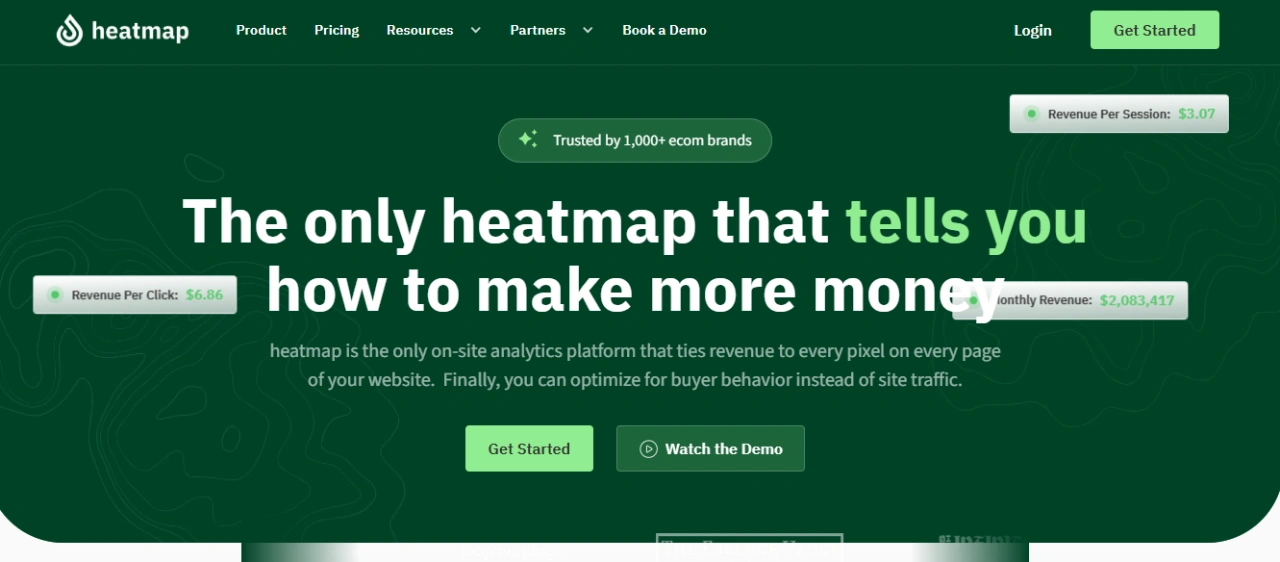
heatmapAI is a revenue-focused user behavior analytics tool that goes beyond standard tracking. Unlike traditional heatmaps, it links every user interaction to revenue, offering a more precise understanding of how users engage with your site.
With features like session recordings, scrollmaps, and rage click tracking, heatmapAI provides actionable insights to help businesses identify pain points, enhance user experience, and optimize for higher conversions.
heatmapAI has helped eCommerce brands generate millions in revenue👇
- JellyBee: Increased their conversion rate by 24.7% and total Annual Revenue over $650,000.
- Cooking Guild: Achieved a whopping 48% increase in revenue per session on collection pages.
- Cowhides Direct: Increased Revenue Per Session by 35%.
Why teams choose heatmap.com over other analytics tools

Key Features:
- Revenue-Based Heatmaps: Track the direct impact of each click and interaction on your site’s conversions and revenue. Gain insights into how various elements drive financial results, allowing you to focus on high-performing areas. With custom filters, you can analyze average order value (AOV), traffic source, and more for in-depth performance tracking.
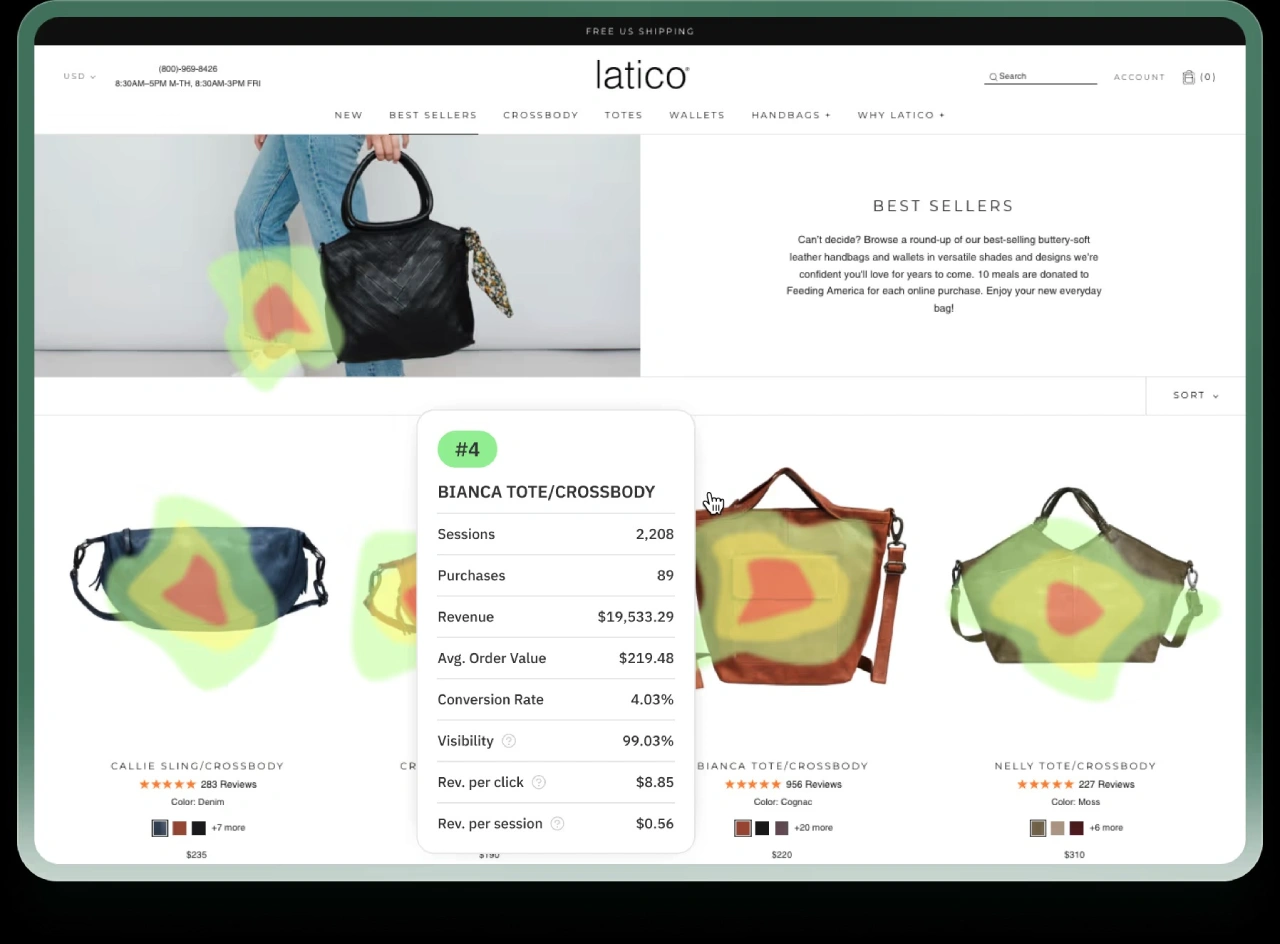
- Screen Recordings: Watch anonymized session recordings of visitor interactions to uncover high-value behaviors, refine user flows, and spot areas that need optimization
- AI-Powered CRO Recommendations: Leverage over 500 AI-driven suggestions to enhance content, optimize visuals, rearrange elements, and fine-tune your pages, all aimed at increasing ROI and improving the customer journey.
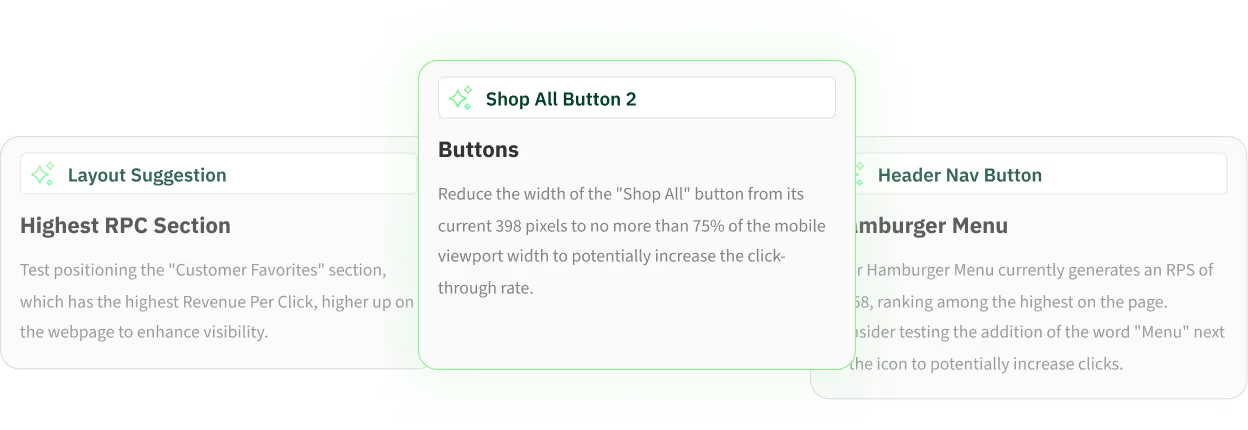
- Rage Click & Top Page Analysis: Identify high-engagement and problem areas by using "rage click" insights to optimize the user experience and minimize frustration.
- Site Speed Tracking: Built-in performance monitoring identifies load-time issues and offers actionable recommendations to improve user experience and conversion rates.
- Dashboard & Metrics: Stay on top of crucial metrics like revenue per session, scroll depth, and high-traffic pages with an intuitive dashboard.
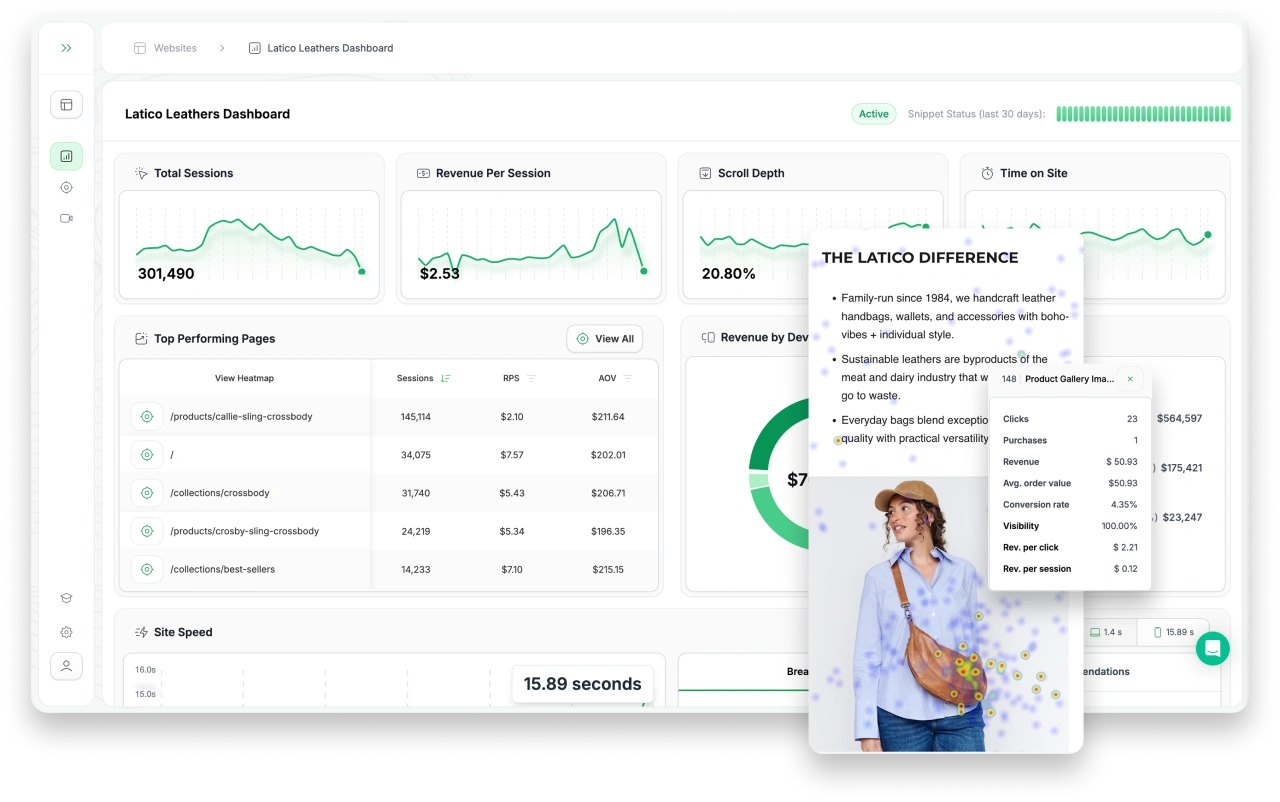
- Comparison Mode: Compare different cohorts such as purchasers vs. rage clickers, high vs. low AOV customers, and new vs. returning visitors, supporting data-driven A/B testing and audience segmentation.
Pricing:
heatmapAI offers scalable pricing based on annual revenue, providing businesses of all sizes with cost-effective access to advanced user behavior analytics and tools without hidden fees.
- Free Trial: 14-Day Trial
- Paid Plan: Scales based on annual revenue (Starts at $117/mo for businesses doing $0-4.9M in annual revenue)
- Pricing Model: Monthly and yearly options (save up to 30% with annual prepay)
Real Stories, Real Results with heatmapAI 👇

With heatmap, I've been able to figure out what elements actually increase AOV and optimize our landing pages to drive more first purchase profitability, we're up 23% YoY.

Winning Split Tests #1 - Collection Page Optimization. +$71,286 per month in revenue with 97% significance.
1: Download heatmap.com
2: Wait for 5k sessions
3: Reorganize products based on the highest revenue per session from top left to bottom right.

Heatmap is a non-negotiable for all Ecom stores! Read this now!

Don't sleep on heatmap! You could be just a few tweaks away from changing the course of your business.
#2) Google Analytics
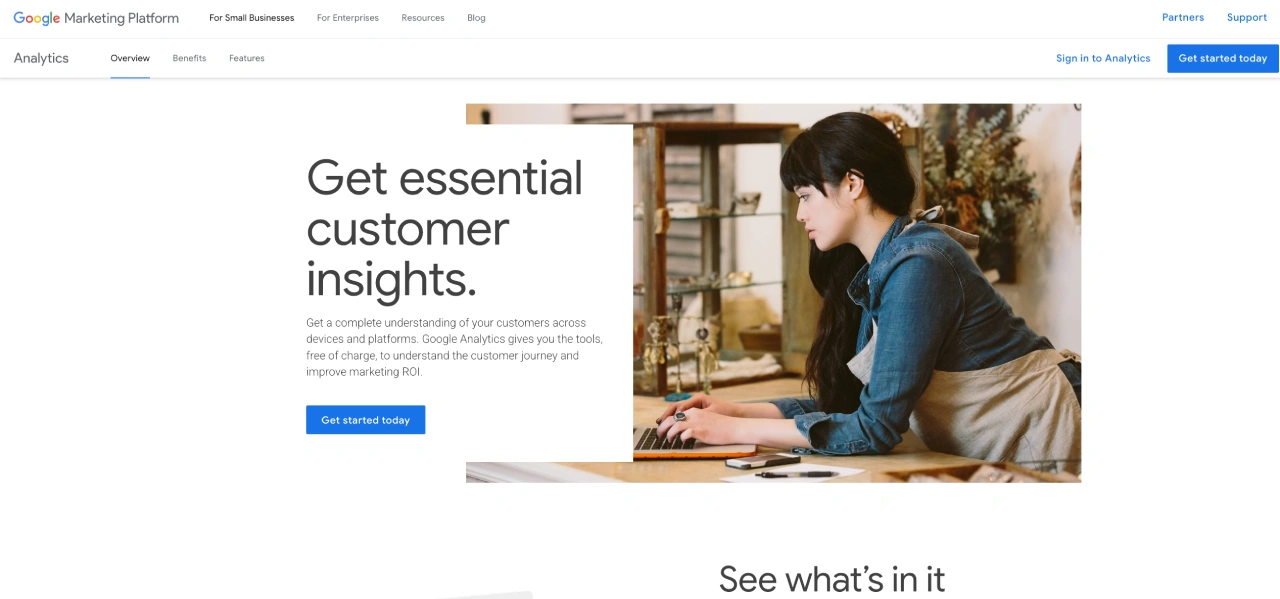
Google Analytics is a widely used user behavior analytics tool that provides valuable insights into how users navigate through your site. With real-time tracking, engagement metrics, and audience segmentation, businesses can make data-driven decisions to improve website performance and boost conversions.
Key Features
1. Real-Time Analytics
With GA4 real-time reports, you can track live engagement on your website or app, giving you immediate insights into user actions and traffic sources. This enables businesses to adjust marketing strategies and optimize user experiences in real-time.
🔥 heatmapAI vs. Google Analytics: While Google Analytics offers real-time insights into user activity, heatmapAI takes it a step further by showing how user behavior directly impacts revenue. Revenue-based heatmaps highlight which clicks and interactions are driving conversions, giving businesses a clearer picture of what’s working to boost revenue
2. User Journey & Behavior Flow
Google Analytics maps user journeys, helping businesses understand how users navigate across pages. The full user journey and behavior flow report highlights drop-off points, so businesses can optimize the user experience and improve conversion rates.
While Google Analytics shows page-to-page flow, heatmapAI’s session recordings reveal deeper insights into how users interact with individual elements—such as buttons, forms, and CTAs.
3. Audience Segmentation & User Personas
With GA4, businesses can segment their target audience based on demographics, devices, and user behaviors. This helps businesses make data-driven decisions and tailor their strategies to meet the needs of different user groups.
4. Event Tracking & Conversion Funnels
Google Analytics allows businesses to track user behavior, including button clicks, form submissions, and checkout actions. These insights provide quantitative data on which interactions bring users closer to conversion, helping businesses optimize their strategies.
5. Custom Reporting & Integrations
GA4 offers customizable reports, integrating seamlessly with Google Ads, Google Tag Manager, and third-party platforms. Businesses can track marketing performance alongside website performance, ensuring an optimized strategy.
Pricing
Google Analytics offers a free version for small to mid-sized businesses, providing essential user behavior analytics tools. For advanced features, Google Analytics 360 is available with custom enterprise pricing, offering higher data limits and premium support.
Considerations before going with Google Analytics
While Google Analytics is a powerful analytics tool, some users have raised concerns regarding its complexity, data limitations, and learning curve.
- "There are data gathering limitations, including difficulties with sampling and tracking." ~ Abhishek U.
- "GA4 is supposed to be user-friendly but it is not. Still grieving the loss of Universal Analytics." ~ Anna O.
- "If many users visit a website, data testing can shift ideas for the non-paid version. This forces you to buy the special program for great amounts of data, which adds unnecessary enhancements." ~ Joydeep S.
#3) Hotjar
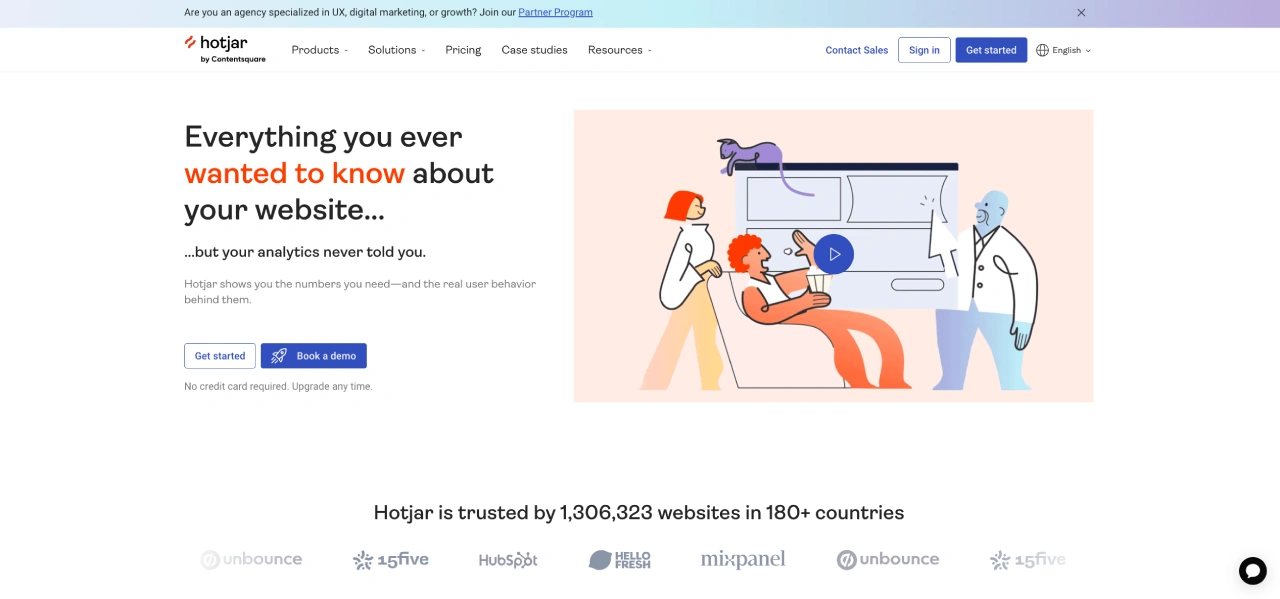
Hotjar is a user behavior analytics tool that helps businesses track user interactions, identify pain points, and optimize website performance. With heatmaps, session recordings, and feedback tools, it provides valuable insights into how users behave and where they encounter friction. Product and marketing teams use Hotjar to make data-driven decisions, improve conversion rates, and enhance the customer experience.
Key Features
Hotjar’s heatmaps visualize where users click, scroll, and engage, helping businesses understand user and refine landing pages for better engagement.
🔥 heatmapAI vs. Hotjar: While both offer heatmaps, heatmapAI’s revenue-based heatmaps go further by tying every click to revenue. This enables businesses to analyze user behavior with a data-driven approach that focuses on the direct impact on sales.
2. Session Recordings
Hotjar’s session recordings capture real user interactions, revealing how users navigate through a site and where they drop off.
3. Surveys & User Feedback
Hotjar allows businesses to gather user feedback through user surveys and polls, helping brands identify user pain points and improve the user experience based on real users’ input.
🔥 heatmapAI Comparison: While Hotjar focuses on qualitative feedback, heatmapAI provides AI-powered recommendations to optimize design elements, guide user actions, and improve conversions through actionable insights.
4. Frustration Signals & Rage Clicks
Hotjar tracks rage clicks, indicating where users click repeatedly out of frustration.
5. Funnels & Trends Analysis
Hotjar provides quantitative data through funnel tracking and trend reports, showing where users drop off and how specific behaviors impact conversion rates, helping businesses understand and optimize the user journey.
Pricing
Hotjar offers a free plan with limited features. Paid plans start at $39 per month and go up to $213 per month, with pricing based on the number of daily sessions tracked.
Considerations before going with Hotjar
While Hotjar is a popular, used user behavior analysis and data analytics tool, some users have pointed out its limitations in session tracking and data flexibility. Here’s what they have to say:
- "Limitations even on paid plans are very severe. You have very limited visits to record even on paid plans." – Dana Y.
- "Sometimes session recordings are slow to load." – Sidra A.
Hotjar vs. heatmapAI - Which One Is Better?
| The downsides of Hotjar | Why heatmapAI is better |
|---|---|
| Known to slow down websites (by at least 1 second) on top of other active tools or website elements, which is half of Google’s recommended load time for 2 seconds. | NO negative impact on website speed (split test results). |
| Can get pricey as you grow: Its free version may be suitable for smaller organizations, but as the pricing is session-based, Hotjar can quickly become expensive as the number of website visitors grows. | Pricing is based on annual revenue (starting from $117/mo for $0 - $4.9M ARR), making it very scale-friendly. |
| Data with no recommendations: Users often feel overwhelmed by the data in front of them, which is excellent, but it'd be even better if there were active insights on what to do with this data. | AI-powered CRO recommendation engine that provides weekly insights on what actions to take based on data. |
| Heatmaps & recordings track basic engagement like clicks, taps, and scrolls. | Ties every click, scroll, and movement to revenue and CRO. |
#4) Lucky Orange
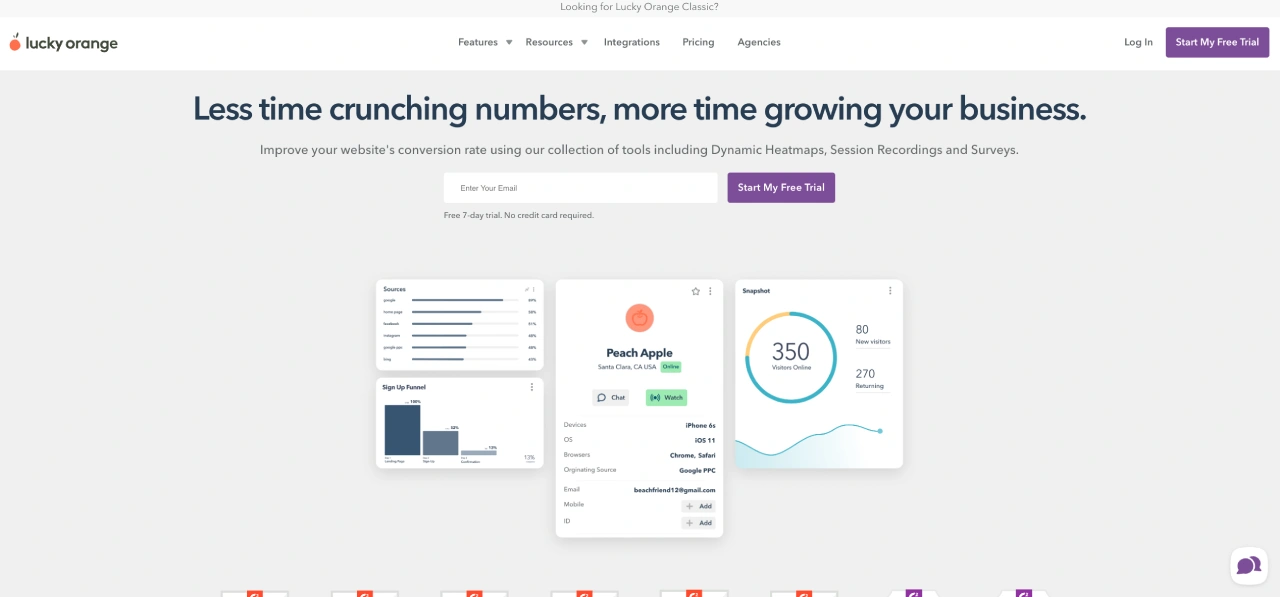
Lucky Orange is a conversion rate optimization tool that helps businesses analyze user behavior, reduce cart abandonment, and improve website performance. With dynamic heatmaps, session recordings, live chat, and form analytics, it provides actionable insights to enhance the user experience and boost conversions.
Key Features
1. Dynamic Heatmaps
Lucky Orange offers interactive heatmaps that track user clicks, scroll depth, and mouse movements across all website elements, including drop-downs and hover-overs.
🔥 heatmapAI vs. Lucky Orange: While both tools offer heatmaps, heatmapAI takes it a step further with revenue-based heatmaps, linking user interactions to financial outcomes, helping businesses understand which elements drive conversions and revenue.
2. Session Recordings
Lucky Orange records real-time user behavior, allowing businesses to replay visitor interactions and identify pain points that cause drop-offs. These insights help improve website usability and drive higher conversion rates.
3. Live Chat & Visitor Monitoring
With built-in live chat, businesses can engage users in real-time, assist them during checkout, and address concerns to reduce cart abandonment. Live chat can be triggered by user behavior and frustration signals, allowing businesses to provide timely support and improve the user experience.
4. Conversion Funnels & Form Analytics
Lucky Orange tracks user journeys through conversion funnels, showing where users drop off during the checkout process. Its form analytics feature highlights which fields users struggle with, helping businesses optimize lead capture and improve overall conversion rates.
5. Announcements & Surveys
Lucky Orange enables businesses to display pop-ups and surveys to gather user feedback, promote special offers, or highlight important updates without disrupting the browsing experience.
Pricing
- Free Trial: 7-day free trial
- Paid Plan: Starts at $32/month for 5,000 monthly sessions, scaling up to $720/month for 300,000 sessions. Enterprise plans available.
- Pricing Model: Tiered pricing based on monthly session tracking limits with all features included in every plan.
Considerations before going with Lucky Orange
Lucky Orange offers affordable, feature-rich conversion optimization, but some users have pointed out limitations in data accuracy, session tracking, and ease of use:
- "If you use it in the right way then it's a useful tool which can complement your other reporting options. It's not a like-for-like replacement or upgrade on Google Analytics." – Glen H.
- "The GA4 integration auto-connects, which can be an issue for cases where sites use multiple GA4 scripts." – Charles F.
#5) Microsoft Clarity
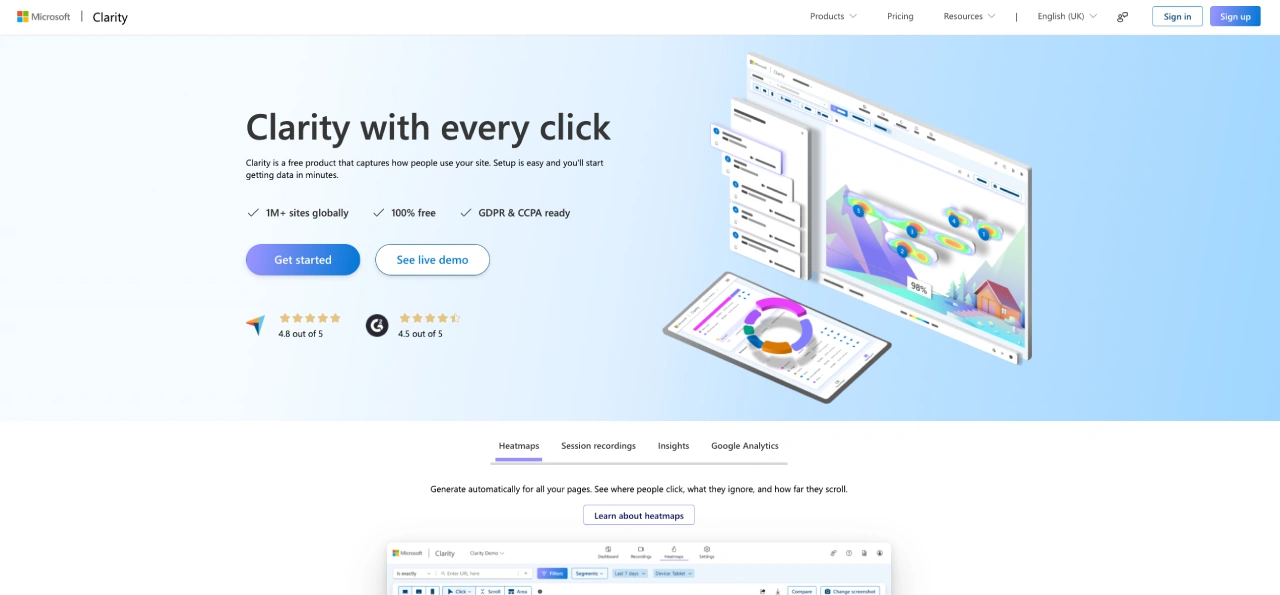
Microsoft Clarity is a free website analytics tool designed to help businesses analyze user behavior, optimize the user experience, and identify conversion bottlenecks. With heatmaps, session recordings, and AI-powered insights, Clarity offers in-depth behavioral tracking without limitations on traffic or data storage.
Key Features
1. Instant Heatmaps
Microsoft Clarity offers click and scroll heatmaps, giving businesses valuable insights into where users engage and where they drop off, helping optimize the user experience.
2. Always-On Session Recordings
Clarity provides unlimited session recordings, allowing businesses to replay user interactions and analyze navigation behavior. These recordings highlight rage clicks, dead clicks, and engagement trends.
3. AI-Powered Copilot for Insights
Clarity’s Copilot feature leverages AI to analyze user behavior, identify patterns, and summarize key takeaways from session recordings. This helps speed up the analysis process and aids in faster decision-making.
4. Google Analytics Integration
Microsoft Clarity integrates with Google Analytics, allowing businesses to connect behavioral data with their existing analytics reports for deeper insights.
5. Advanced Filtering & Segmentation
With 40+ filter options, businesses can segment users based on device, traffic source, and interaction patterns, allowing for a detailed analysis of specific user needs and behaviors.
Pricing
- Free Trial: Microsoft Clarity is 100% free.
- Pricing Model: No traffic limits, no feature restrictions, and unlimited heatmaps, recordings, and team members.
Considerations Before Going with Microsoft Clarity
Microsoft Clarity is a feature-rich, free alternative to paid behavioral analytics tools, but users have noted a few drawbacks:
- "It is great at giving you the data, but it would be good to introduce some AI to suggest website changes." – Enterprise User
- "Filtering options are impressive, but the UI design feels chaotic." – Marek D.
- "Sometimes session recordings are unavailable after a month." – Sam K.
#6) Kissmetrics
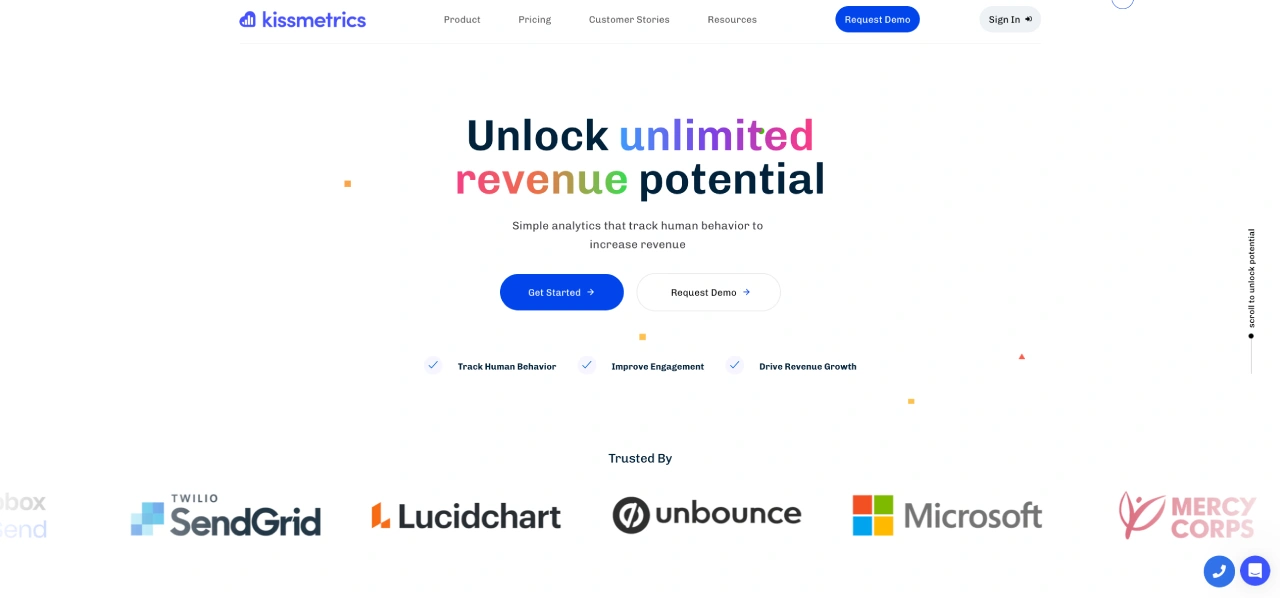
Kissmetrics is a behavioral analytics and customer engagement automation tool, empowering businesses to analyze and segment user interactions throughout their entire journey. With detailed reporting, funnel analysis, and automated email campaigns, Kissmetrics empowers businesses to implement data-driven marketing strategies that enhance customer acquisition, loyalty, and overall profitability.
Key Features
1. Customer Journey Tracking
Kissmetrics provides detailed behavioral tracking, allowing businesses to analyze user behavior and interactions from the first visit to conversion. The platform helps identify patterns in engagement and drop-offs to optimize the customer experience.
🔥 heatmapAI vs. Kissmetrics: Both platforms help analyze user behavior, but Kissmetrics focuses on event-based tracking and segmentation, while heatmapAI specializes in visual heatmap insights.
2. Funnel & Cohort Analysis
Kissmetrics allows businesses to track conversion funnels and measure customer retention over time. Funnel reports help identify bottlenecks in the conversion process, while cohort reports analyze repeat user behavior.
3. Email Campaign Automation
With integrated email automation, businesses can reach users at key moments based on their behavior. This feature helps minimize churn, boost engagement, and encourage repeat purchases.
4. Multi-Platform Data Integration
Kissmetrics seamlessly integrates with e-commerce platforms, CRMs, and other marketing tools, centralizing customer data from multiple sources.
5. Advanced Segmentation & Reporting
Businesses can filter and segment users based on attributes, behaviors, and lifecycle stages to create personalized marketing strategies and generate actionable reports.
Pricing
- Free Trial: 14-day trial available.
- Paid Plans:
- Silver: $299/month (Up to 2M events, 3 user seats, 1 tracked domain).
- Gold: $499/month (Up to 5M events, 10 user seats, 3 tracked domains).
- Platinum: Custom pricing (Unlimited events, domains, and users).
- Pricing Model: Event-based tracking with scalable plans for businesses of all sizes.
Considerations before going with Kissmetrics
Kissmetrics is a powerful analytics tool, but it may not be the best fit for every business. Here are some considerations:
- "Funnel reports are limited to five levels of the customer journey." – Retail Industry User
- "Some reports take longer to load, especially yearly ones." – Matt A.
heatmapAI: The #1 Behavior Analytics Tool Built for Revenue Optimization
Understanding user behavior is one thing—turning those insights into increased revenue is another. heatmapAI goes beyond traditional analytics by directly linking user actions to financial outcomes. With features like revenue-based heatmaps, scroll maps, session recordings, and AI-driven recommendations, businesses receive clear, actionable insights that drive conversions and growth.
For brands that prioritize ROI and data-backed decision-making, heatmapAI is the go-to solution for optimizing every touchpoint.
If you are looking for AI-powered heatmaps, in-depth session analytics, and conversion-focused insights, then heatmapAI is the perfect choice. However, if you need traditional web analytics, then tools like Google Analytics or Microsoft Clarity may be a better fit.
Try heatmap.com | Your eCommerce site will thank you (so will your wallet)
We are the only onsite analytics platform that tells you how to make more money - down to the pixel. Trusted by 1000+ eCommerce brands.
Ashvin Melwani
@ashvinmelwaniWith heatmap, I've been able to figure out what elements actually increase AOV and optimize our landing pages to drive more first purchase profitability, we're up 23% YoY.

💡 Read Next: How heatmap Generated $600,000 for a Client

Dylan AnderPublished May 2, 2025