Is your online store losing visitors before they explore more than one page? A high bounce rate can be a silent killer for retail and ecommerce sites, impacting website traffic and conversions. But what causes visitors to leave so quickly? The answers lie in analyzing key metrics and uncovering hidden issues.
Let’s explore how to reduce bounce rates and keep site visitors engaged while boosting your store’s performance!
What Are Common Causes Of High Bounce Rates
Several factors can push website visitors to leave after just one page. These issues often stem from technical glitches or a disconnect between user expectations and the actual site experience.
Some of the common causes of high bounce rates are:
| Causes | Description |
|---|---|
| Slow page load time | Visitors leave if a site loads too slowly. |
| Poor user experience | Hard-to-use navigation or cluttered design frustrates users. |
| Broken links | Dead links stop users from exploring further. |
| Irrelevant landing pages | Content doesn’t match what visitors expect. |
| Non-responsive design | Mobile users struggle if the site isn’t optimized. |
| Lack of clear CTA | Visitors leave if they don’t know what to do next. |
| Too many popups | Overwhelming popups annoy and distract users. |
| Intrusive ads | Too many ads disrupt the browsing experience. |
| Technical errors | Site crashes or bugs cause visitors to exit. |
| Security concerns | Lack of HTTPS or sketchy design discourages visitors. |
What is a Good Bounce Rate
For e-commerce sites, a good bounce rate usually ranges between 20% and 40%, depending on the industry and site objectives. However, a bounce rate above 55% is considered high and may indicate areas for improvement. Understanding the factors behind this metric is crucial for boosting user engagement and driving conversions.
Note: It's also important to note that average bounce rates can vary by device, with mobile devices typically showing higher rates at 51%, compared to 43% on desktops and 45% on tablets.
What Metrics Should You Monitor To Reduce Bounce Rates
Tracking the right metrics is crucial for pinpointing problem areas and enhancing user engagement. By analyzing these insights, you can address hidden challenges and implement effective strategies to retain visitors and lower bounce rates.
Essential metrics to monitor include:
| Metric | Description |
|---|---|
| Bounce rate | Track the percentage of visitors leaving after viewing just one page. A good target is below 40%, as higher rates suggest poor engagement or irrelevant content. |
| Page load time | Monitor how quickly your web pages load; slow speeds increase bounce rates. Google suggests keeping page load times under 3 seconds, while its own site targets 0.5 seconds. |
| Mobile responsiveness | Ensure your site functions seamlessly on mobile devices to retain users. A mobile-friendly site prevents mobile users from leaving due to poor usability. |
| User behavior | Analyze how visitors interact with your website—such as clicks and scrolls—using tools like Google Analytics or Heatmap.com. Identifying drop-off points helps improve engagement. |
| Landing page performance | Evaluate the effectiveness of landing pages in engaging visitors. Well-optimized landing pages reduce immediate exits by guiding visitors toward further action, whether reading more content or making a purchase. |
| Exit rates | Identify pages where visitors leave most often to address potential issues. High exit rates may indicate poor content, misleading information, or slow performance. |
| Site speed metrics | Use tools to measure speed across devices and regions. Server response time should be under 200 ms for reliability. Slow sites frustrate users, making them leave before engaging. |
| Internal links | Check the effectiveness of internal links in directing visitors to other pages. A strong linking strategy helps reduce single-page visits and keeps users engaged. |
8 Strategies for Reducing eCommerce Bounce Rate
Reducing bounce rates on e-commerce websites requires a strategic approach to address the factors that lead visitors to leave without exploring more than one page. By leveraging tools, analyzing user behavior, and optimizing site performance, e-commerce sites can significantly improve engagement and conversions.
Key strategies to help you reduce bounce rates and keep visitors engaged are:
1) Use heatmaps to assess the visitor experience
Heatmaps provide a visual representation of how visitors interact with your e-commerce website. By highlighting areas with the most clicks, scrolls, or hovers, heatmaps reveal what elements attract attention and which ones go unnoticed. Tools like heatmap.com go a step further by tying clicks to revenue, helping you pinpoint high-value areas or underperforming elements on your pages.
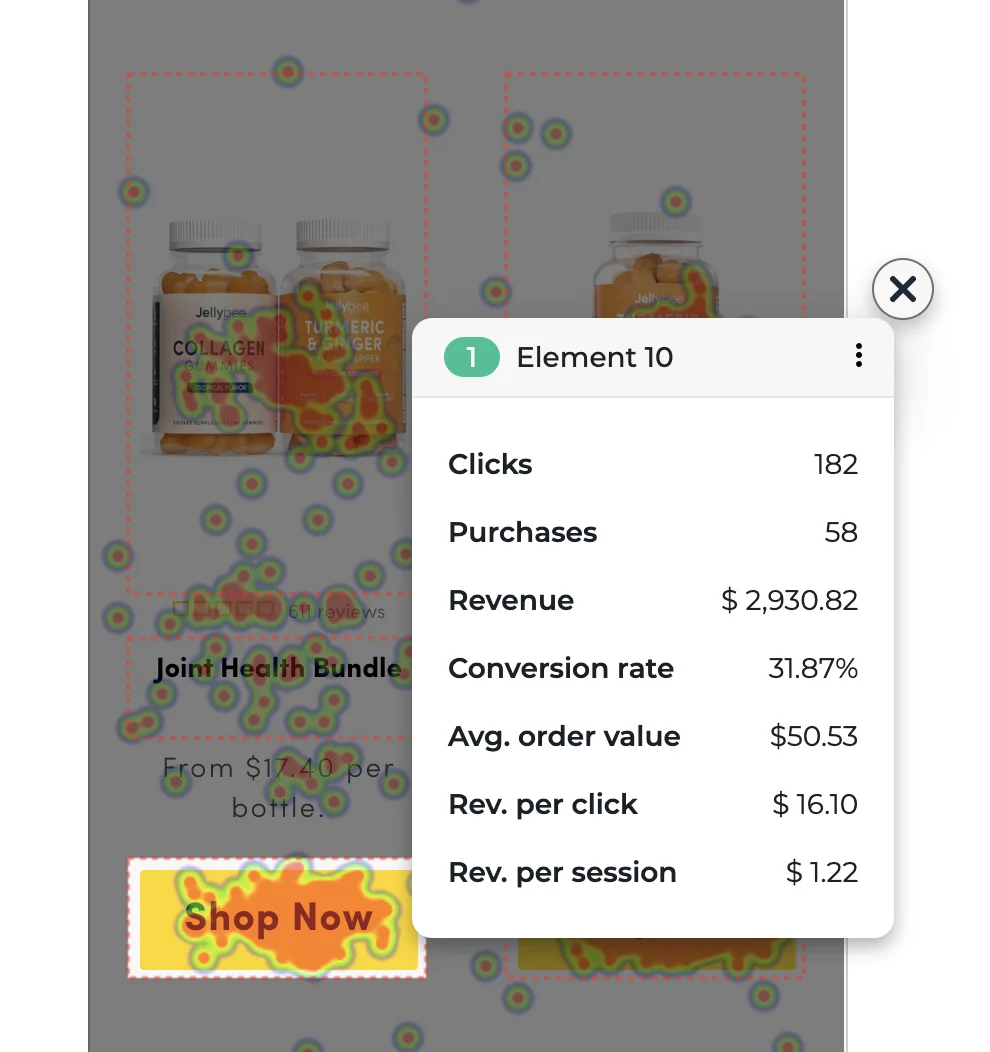
Additionally, features like screen recordings and interactive scrollmaps uncover pain points, such as where visitors lose interest or encounter usability issues. For instance, if users stop scrolling midway through a page, it may indicate poor content placement, a lack of engaging visuals, or overwhelming text.
This data allows you to optimize key touchpoints, such as product pages, CTAs, or navigation menus, to reduce bounce rates effectively. Incorporating these insights into your strategy ensures a user-centric approach that improves conversions and lowers bounce rates.
Read Next: Level-Up Your Heatmap Analysis for High-Converting UX
2) Make your website loads fast and intuitive
Slow-loading websites are one of the primary reasons visitors leave without exploring more than one page. Studies show that even a one-second delay in loading a webpage can lead to a 7% drop in conversions and an 11% reduction in page views.
You can improve your loading speed with these strategies:
- Optimize images: Compress large images to reduce loading time.
- Enable browser caching: Store static files locally for faster repeat visits.
- Use a Content Delivery Network (CDN): Deliver content quickly, even to remote users.
- Minimize code: Clean up unnecessary CSS, JavaScript, and HTML.
- Create an intuitive design: Simplify navigation so visitors can quickly find key pages, like product pages or the search bar.
- Mobile responsive design: Ensure mobile responsiveness for mobile users, as they make up a significant portion of site visitors.
For actionable insights, you can use tools like heatmap.com, the only on-site analytics platform with built-in site speed tracking and AI-driven recommendations.
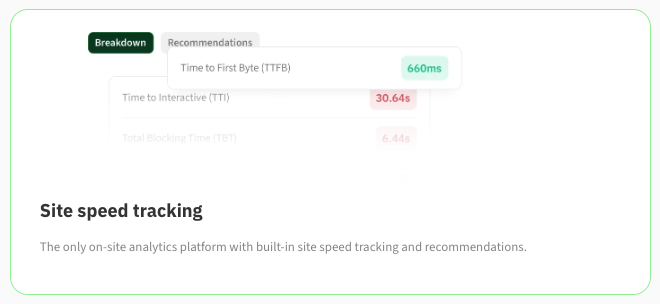
You can also use free tools like PageSpeed Insights to identify issues affecting your website’s speed. These tools provide detailed reports on what’s slowing your site down and how to fix it.
Faster, user-friendly sites improve the user experience and enhance search engine rankings, as search engines prioritize speed in their algorithms. By making your website fast and intuitive, you’ll engage visitors, reduce bounce rates, and ultimately drive higher conversions.
Read Next: The Ultimate Technical Guide to Increasing Website Speed and Increasing Revenue
3) Make sure the design and copy aren't crap
Design and copy are the silent salespeople of your e-commerce website. A clean, intuitive design paired with persuasive, value-driven copy creates a seamless user experience that turns casual site visitors into paying customers. On the flip side, cluttered layouts or generic copy can drive users away, leading to high bounce rates and low conversions.
Great design doesn’t just look good; it should guide users effortlessly to your call-to-action, build trust, and reflect your brand's value proposition. Copy should work hand-in-hand, addressing user intent, pain points, and aspirations.
Let's explore some standout examples of beautifully designed e-commerce sites that took their performance to the next level with heatmapAI's CRO (Conversion Rate Optimization) insights:
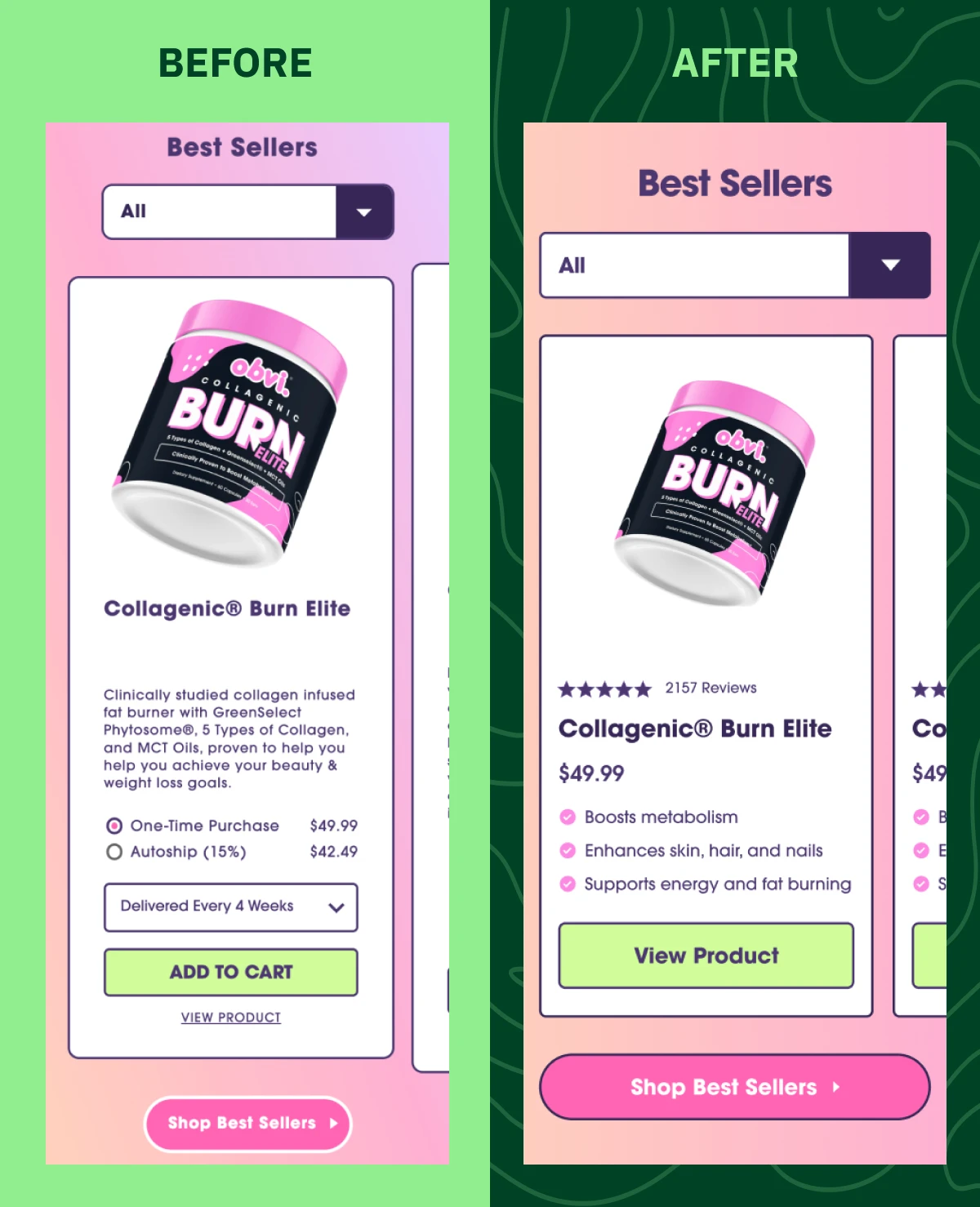
- Obvi: Known for its vibrant color palette, Obvi’s site design instantly connects with its target demographic. To maximize revenue from their primary paid landing page, Obvi switched from Microsoft Clarity to heatmap.com for deeper insights. By implementing heatmapAI’s recommendation they achieved outstanding results: a 7.8% increase in revenue per session, a 4.69% boost in conversions, and an impressive 100x ROI.
heatmapAI recommendation for Obvi landing page: "Currently, your hero button is below the Average Fold of 682 pixels. Test moving unnecessary elements further down the page so users can see the Call to Action button without scrolling to increase visibility."
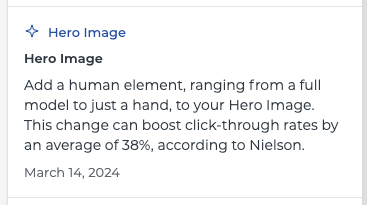
- JellyBee: JellyBee’s clean and professional layout focuses on its core audience. Facing the challenge of scaling while maintaining profitability, JellyBee turned to heatmapAI for actionable insights. By adding a human element to the hero image, as recommended by heatmapAI, they saw a 24.7% increase in conversion rates and a 14.4% rise in revenue per session.
4) Don't attract the wrong people to your website (nail your content)
Attracting the right audience starts with creating content that aligns with your target market’s interests, needs, and pain points. When your content misses the mark—through irrelevant blogs, poorly targeted ads, or mismatched social media campaigns—it draws uninterested visitors. These visitors bounce after just one page, increasing your website's bounce rate and wasting valuable resources.
To reduce bounce rates:
- Create relevant content: Address the needs and interests of your target audience.
- Analyze user behavior: Use Google Analytics to identify what content engages visitors and drives interaction.
- Align pages with intent: Align messaging and visuals to what your audience is looking for.
- Refine ad targeting: Filter out visitors who aren’t aligned with your offerings to attract the right audience.
For example, an ecommerce website selling high-end products should avoid broad keywords like “cheap luxury watches” as it attracts bargain hunters. Instead, focus on content like product comparisons or testimonials that highlight quality and exclusivity.
5) Use high-resolution and creative imagery, video, and animations
Visual content plays a critical role in capturing attention and engaging site visitors, especially on e-commerce websites. High-resolution images, compelling videos, and dynamic animations improve user experience and keep visitors on your site longer, helping to decrease bounce rates and increase conversions.
Poor visuals, on the other hand, can contribute to a high bounce rate by failing to capture interest or build trust.
Here’s how to make visuals work for you:
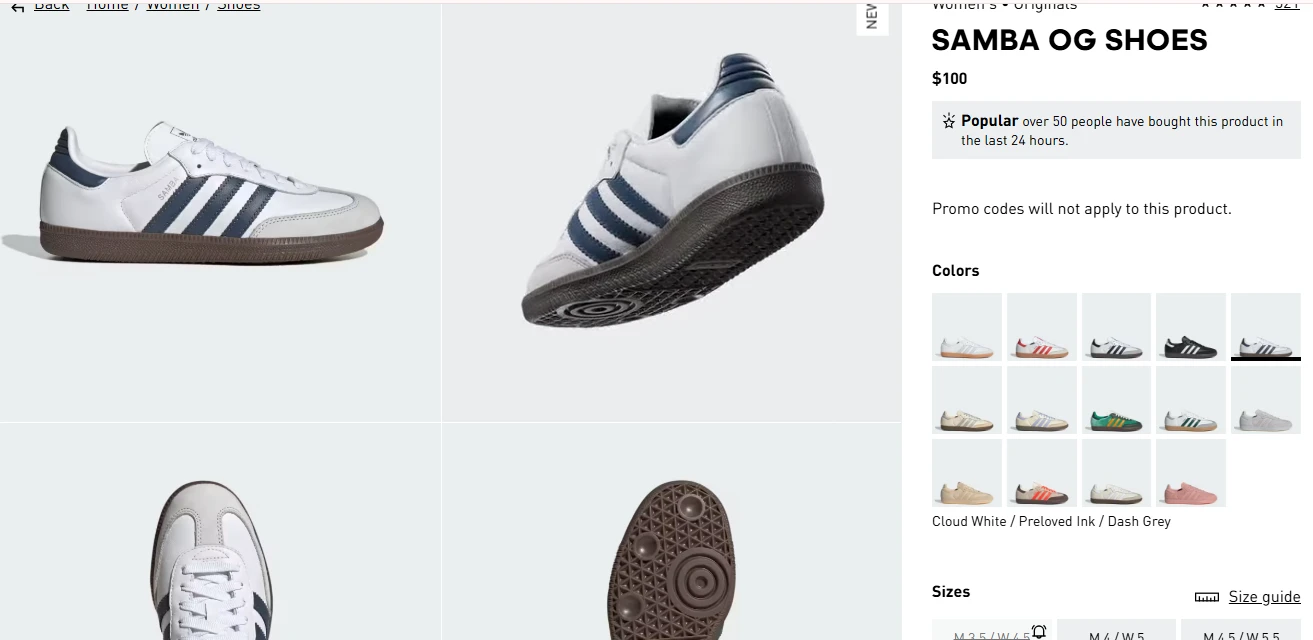
- Use high-quality product images: Showcase your items from multiple angles to give potential customers a better understanding of what they’re buying.
- Incorporate videos: Demo videos or explainer animations can boost user engagement and encourage visitors to explore more than one page.
- Add subtle animations: Use animations to guide users’ attention to key elements like CTAs without overwhelming them.
Optimizing visuals also contributes to faster page load time when paired with compression tools, improving site speed and ensuring a seamless experience for mobile users and desktop visitors alike.
6) Simplify search and navigation
A well-structured navigation system and efficient search functionality are crucial for enhancing user experience on your eCommerce website. When site visitors can effortlessly find products, they're more likely to engage and convert, reducing the bounce rate.
Key strategies:
- Intuitive navigation menus: Organize products into clear, logical categories and subcategories. Implementing dropdown or mega menus can help users quickly locate items without excessive clicking.
- Prominent search bar: Place a clearly visible search bar at the top of your web pages, enabling users to directly search for products. An effective search function allows customers to bypass navigation menus and find exactly what they want.
- Advanced filtering options: Incorporate filters that allow customers to sort products by attributes such as price, size, color, brand, and popularity. This helps users quickly narrow down their choices and find exactly what they’re looking for.
- Breadcrumbs: Implement breadcrumb navigation to help users keep track of their journey through your site, allowing them to easily backtrack to previous categories or pages.
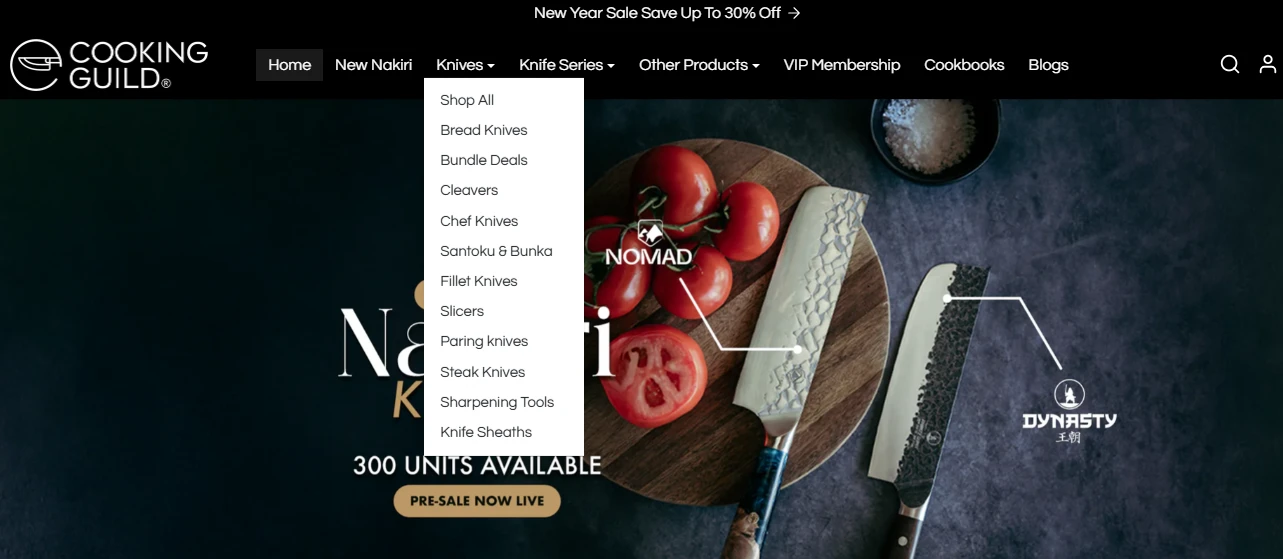
For example one of our client Cooking Guild features a clean, intuitive navigation system that groups products into clear categories such as "Knives," "Knife Series," and "Other Products." Their prominent search bar allows users to find specific items quickly which in turn improves user experience.
7) Recommend related and "recently viewed" products to your visitors
Enhancing your e-commerce website with features that suggest related or recently viewed products can significantly reduce bounce rates and boost user engagement. By guiding visitors back to items they've shown interest in, you encourage further exploration and increase the likelihood of conversions.
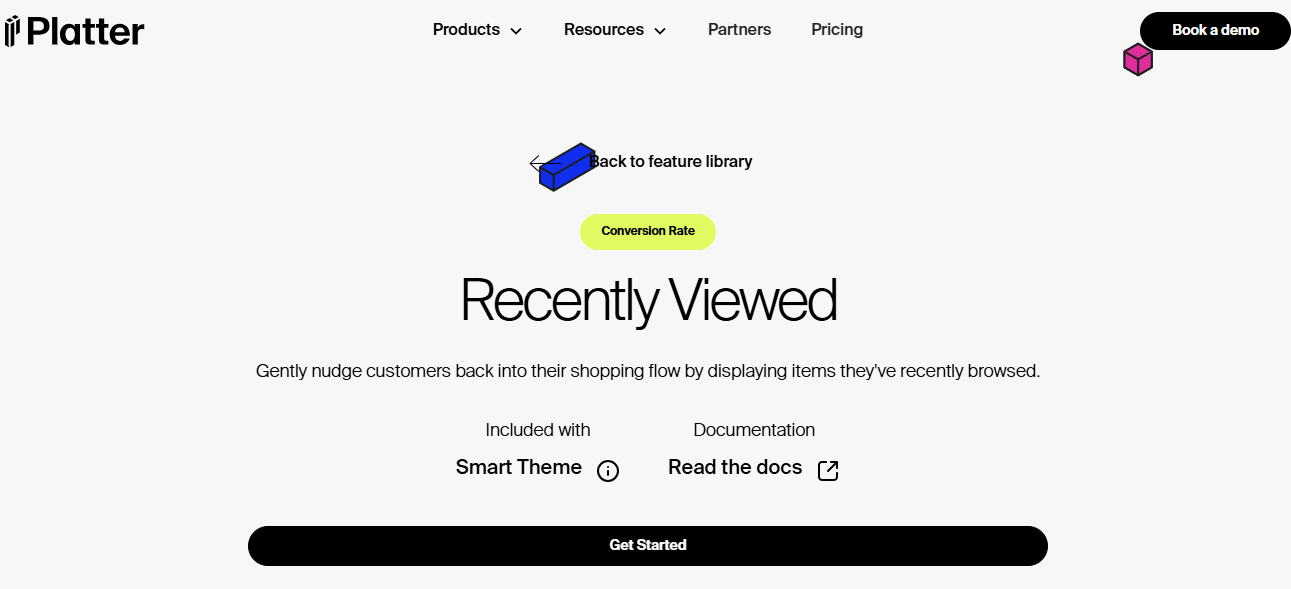
For instance, the "Recently Viewed" feature by Platter allows customers to revisit items they've previously browsed, making it easier to pick up where they left off. This helps visitors jump back into their shopping flow quickly if they get distracted rather than leaving your site.
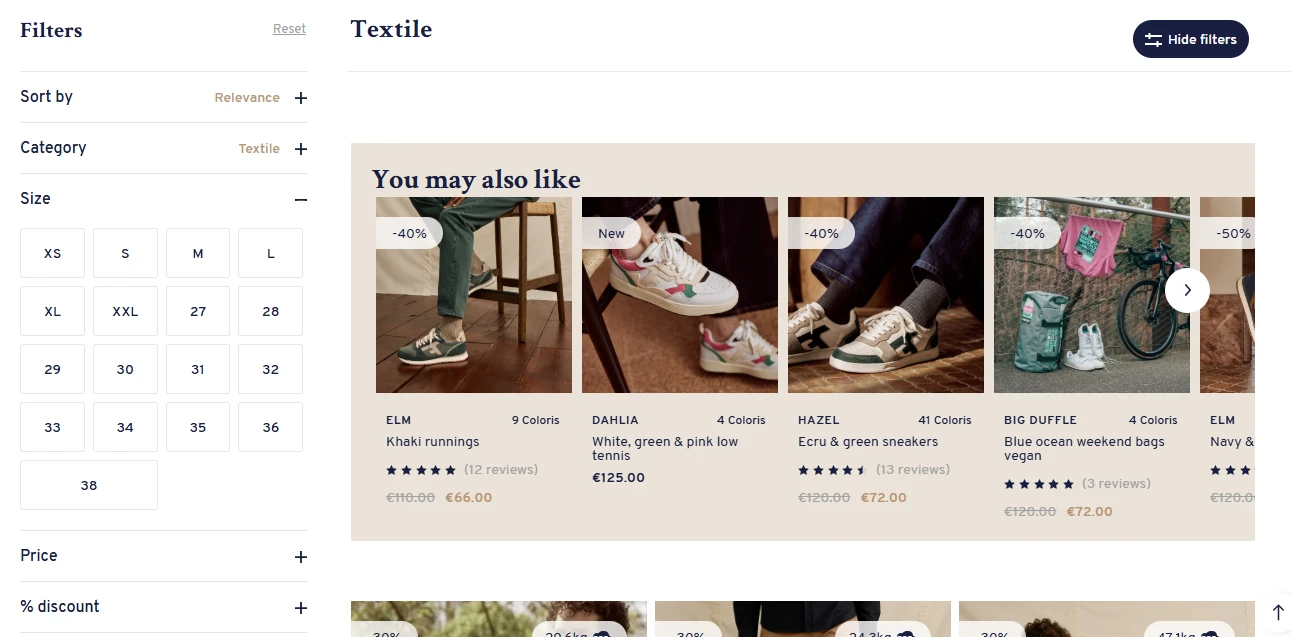
Additionally, integrate a "You Might Also Like" section on product pages to showcase items similar to what the user is viewing. This strategy keeps users engaged and encourages them to explore more of your offerings, reducing bounce rates and increasing the chances of conversion.
Read Next: How to Optimize Ecommerce Collections Pages for Higher Conversion Rates
8) Use exit-intent popups as a Hail Mary
Exit-intent popups are a powerful tool vs engage visitors who are about to leave your site. By detecting mouse movement toward the browser’s exit button, these popups can be triggered to capture attention just before visitors abandon the page. This strategy can help reduce bounce rates and offer one last opportunity to convert visitors into customers.
| Type of Exit-Intent Popup | How They Help |
|---|---|
| Discount offer popups | Provide a special discount or free shipping to encourage users to complete their purchase. |
| Email capture popups | Offer a newsletter or exclusive content in exchange for an email address, even if the visitor doesn't make a purchase. |
| Product reminder popups | Show users the items they’ve viewed or added to their cart, urging them to return and complete the transaction. |
| Survey/feedback popups | Ask for user feedback to understand why they’re leaving, and offer a chance to win something in exchange for their opinion. |
These popups can effectively reduce cart abandonment and encourage users to take action, increasing your conversion rates.
For example, AliaLearn provides an advanced exit-intent popup system that offers customized and engaging popups to improve conversion rates while providing value to the user.
How Does Mobile Optimization Affect SEO And Bounce Rates
Mobile optimization plays a significant role in both SEO and bounce rates. As mobile usage continues to rise, search engines like Google prioritize mobile-friendly websites in their rankings. Mobile-first indexing is now the default for Google, meaning sites that aren’t optimized for mobile can rank lower in search results, reducing organic traffic.
From a bounce rate perspective, a non-responsive site can lead to a poor user experience, especially for mobile users. Slow load times, difficult navigation, or content not properly displayed on smaller screens can frustrate visitors, causing them to leave quickly. This increases bounce rates and affects your site's overall performance and conversions.
To improve both SEO and bounce rates, ensure your website is fully responsive, has fast load times, and offers a seamless browsing experience for mobile users. This will enhance user engagement, improve search engine rankings, and reduce bounce rates.
heatmapAI Slices Bounce Rates for top eCommerce Sites
To sum up, reducing bounce rates is crucial for boosting ecommerce site performance and increasing conversions. By leveraging data-driven insights, such as AI-based heatmaps, scrollmaps, and screen recordings, you can understand user behavior and identify areas for improvement.
heatmap.com offers a powerful suite of tools that ties revenue per session to each interaction, helping you optimize your site based on what truly drives sales. With its easy integration, actionable AI recommendations, and privacy-focused analytics, heatmap.com is the ideal solution for any ecommerce business looking to cut bounce rates and increase profitability.
Try heatmap.com | Your eCommerce site will thank you (so will your wallet)
We are the only onsite analytics platform that tells you how to make more money - down to the pixel. Trusted by 1000+ eCommerce brands.

Ashvin Melwani
@ashvinmelwaniWith heatmap, I've been able to figure out what elements actually increase AOV and optimize our landing pages to drive more first purchase profitability, we're up 23% YoY

Read Next:

Dylan AnderPublished December 1, 2025